Guide
How to get listed on ChatGPT.
Owners ask me where the form is to list their business on ChatGPT, the way you list on Google or Yelp. As of November 10, 2026, there is one.
The direct answer: you get listed on ChatGPT by claiming your business in Business Hub, OpenAI's new dashboard for businesses, which is in beta. You find your business, verify that you own it or are authorized to represent it, complete an identity check, and then you can keep your details current and see how often ChatGPT mentions you. Claiming does not make ChatGPT recommend you more. It makes the facts about you correct and gives you a view of how people find you.
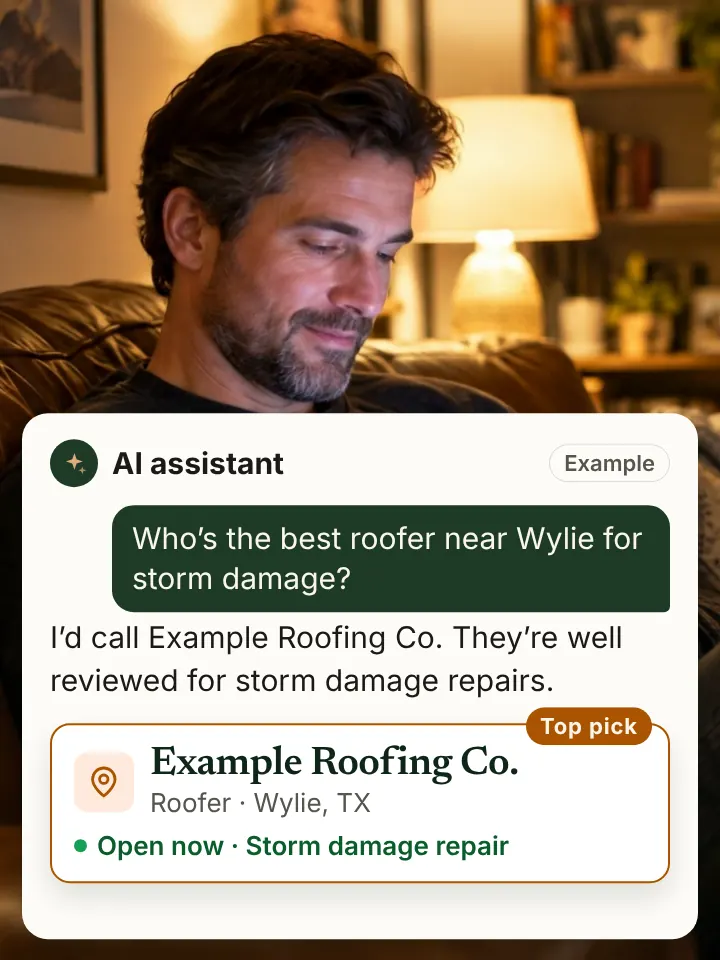
What is Businesses in ChatGPT?
OpenAI launched Businesses in ChatGPT in beta on November 10, 2026. It works a lot like a Google Business Profile for ChatGPT: a business can claim the profile ChatGPT shows for it, update details like the website, description, category and logo, and see insights such as mentions and website clicks.
There is a second part called Business Agents, a chat agent that answers customer questions inside ChatGPT. At launch, OpenAI offers agents only to eligible ecommerce and online service businesses in the United States, so most local service companies will start with the claim and the profile.
This is a beta, and OpenAI says availability depends on the business's location and type. Details may change, so check the live Business Hub screens as you go.
How to claim your business in ChatGPT
- Open Business Hub from ChatGPT and search for your business. If it is not there, you can add it.
- Verify your connection to the business. OpenAI offers routes such as a phone call, a business email, your website domain or, for online stores, Shopify.
- Wait for the claim to be approved. OpenAI tells you its decision.
- Complete the identity check with Persona. This is required before you can publish changes or view insights.
- Update your profile: website, description, service category and logo. Use the same name, phone and wording as your Google Business Profile.
- Check Insights in Business Hub each month to see mentions and website clicks.
What documents does ChatGPT ask for?
Some claims ask for a business document that shows you operate the business. When I went through the claim flow, the document step listed options like these:
- A business or trade license.
- A registration of your business name, such as an assumed name or DBA certificate.
- An IRS CP575 or 147C letter, which confirms your EIN.
- A business registration certificate or registry extract.
- A business tax document or a tax authority certificate.
You do not need an LLC to have one of these. A sole proprietor with a DBA certificate or an EIN letter has a document that shows the business name. Make sure the name on the document matches the name on your profile, your Google listing and your website. Ask your accountant if you are unsure which document fits your setup.
What claiming does not do
OpenAI says claiming a business does not guarantee higher placement or more sales, and ChatGPT keeps making its own recommendations. It still reads your Google Business Profile, your website, directories and review sites, and an unclaimed business can still be named from those sources.
So claiming is one step, not the whole job. Think of it like verifying your Google Business Profile: necessary, but the profile still has to be complete and the rest of the web still has to agree with it.
What to do after you claim
- Make your ChatGPT profile, Google Business Profile and website say the same thing: name, phone, services, towns and hours.
- Claim Bing Places and Apple Business Connect with the same details.
- Fix or claim your Yelp, BBB and main trade directory listings.
- Make sure your website allows OpenAI's search crawler, OAI-SearchBot.
- Give each service its own page that names your towns.
- Ask ChatGPT the questions your customers ask, note which sites it cites, and get listed on those.
- Watch mentions in Business Hub alongside your own monthly checks of the same questions.
The full order of work is in how to rank on ChatGPT.
Watch out for "ChatGPT listing" offers
Now that a real claim exists, expect sellers to charge for "getting you listed" or promise a top spot. You can claim your business yourself in Business Hub. Be careful with anyone who:
- Guarantees you will appear or rank in ChatGPT answers.
- Asks for your login details instead of being added properly or walking you through the claim.
- Puts you in a special AI directory that ChatGPT supposedly reads.
How do I check what ChatGPT says about my business?
Ask ChatGPT two kinds of questions. First, ask about your business by name: "What does [your business] in [your town] do?" Check that the services, phone and area are right. Second, ask the questions customers ask without your name, like "best gutter installer in Sachse," and see if you are named.
If the first answer is wrong, fix it in Business Hub and at the source it cites. If you are missing from the second, work through why ChatGPT is not recommending your business. Or ask for an AI visibility audit at no cost, and I will run the questions and show you the sources.
Straight answers
Straight answers.
Can I list my business on ChatGPT?
Yes. Since November 10, 2026 you can claim your business in ChatGPT's Business Hub, which is in beta. You verify you own or represent it, complete an identity check, then manage its details and see insights.
Do I need an LLC to claim my business in ChatGPT?
Not necessarily. If a business document is requested, options include a business license, a DBA or assumed name certificate, or an IRS EIN letter. The name on it should match your profile.
Does claiming my business make ChatGPT recommend me?
No. OpenAI says claiming does not guarantee higher placement. ChatGPT still decides on its own, using your Google profile, website, listings and reviews.
Should I pay a company to list my business on ChatGPT?
You can claim it yourself in Business Hub. Be careful with anyone who guarantees placement in ChatGPT answers, because no one can.