Guide
Schema markup for local business.
Schema markup is a small block of code on your website that labels your facts. This is our name. This is our phone. These are our services. This is where we work.
People never see it. Search engines and AI tools read it to understand your business without guessing.
Why AI reads structured data
A web page is written for people. Machines have to infer what each piece of text means. Structured data removes the guessing. It says, in a shared vocabulary from schema.org, exactly which text is your business name and which is your service area.
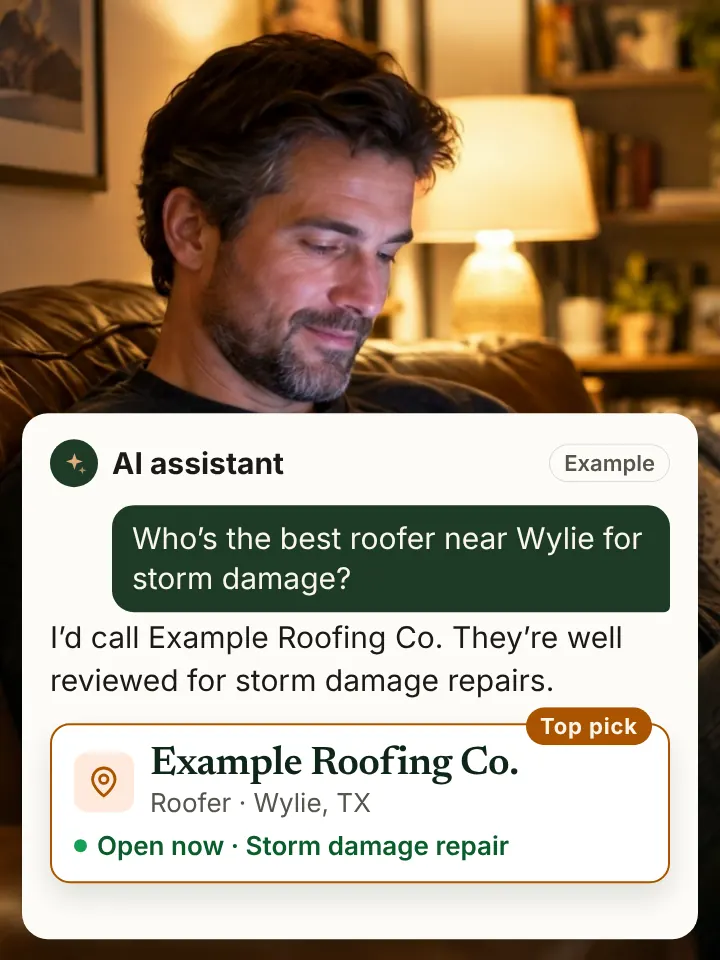
When an assistant is deciding whether to name you, clear labels make your facts easier to confirm against your Google profile and listings. Clean data is less likely to be misread.
The types that matter most
- LocalBusiness, or a more specific type like Plumber, RoofingContractor, HVACBusiness or Electrician. Your name, address, phone, hours and area served.
- Service. Each main service you offer, linked to your business.
- AggregateRating and Review. Only for reviews collected on your own site, following Google's rules. Never mark up reviews copied from other platforms.
- FAQPage. Questions and answers that appear on the page.
- BreadcrumbList. Shows where a page sits in your site, like Home, Services, Roof repair.
Use the most specific type that fits. "RoofingContractor" says more than "LocalBusiness."
A short example
Here is a trimmed example for a roofing company. It goes inside a script tag of type application/ld+json on your site.
{
  "@context": "https://schema.org",
  "@type": "RoofingContractor",
  "name": "Example Roofing Co.",
  "url": "https://www.example.com",
  "telephone": "+1-555-010-0000",
  "address": {
    "@type": "PostalAddress",
    "addressLocality": "Wylie",
    "addressRegion": "TX",
    "addressCountry": "US"
  },
  "areaServed": ["Wylie", "Sachse", "Murphy"],
  "makesOffer": {
    "@type": "Offer",
    "itemOffered": { "@type": "Service", "name": "Roof replacement" }
  }
}
A real version would add hours, more services, a logo and a link to the Google profile. The idea stays the same: plain facts, clearly labeled.
Rules that keep schema honest
- Mark up only what is visible on the page. Hidden claims can get ignored or penalized.
- Match your Google profile exactly. Same name, same phone, same address.
- Do not invent ratings. Fake or copied review markup breaks Google's guidelines.
- Keep it current. If your hours change, the schema changes too.
- Test it with Google's Rich Results Test or the schema.org validator.
Schema is one piece
Schema will not rescue a weak Google profile or messy listings. It works best as part of the whole foundation described in how to rank on ChatGPT. It also pairs well with answer engine optimization, since FAQPage markup labels the answers you write.
Each of our industry pages suggests the schema types that fit that trade.
How we handle it
We write the markup for your business, show it to you and add it only after your written approval. Then we validate it and keep it updated as your details change.
Straight answers
Straight answers.
Do I need a developer to add schema?
Not always. Many website builders allow custom code. We prepare the markup and can add it with access or hand it to your web person.
Does schema guarantee rich results or AI mentions?
No. It makes your facts clear and easy to read. Search engines and AI tools decide what to show.
Can I mark up my Google reviews on my site?
Google's guidelines say review markup should cover reviews collected on your own site, not reviews copied from other platforms.
Is JSON-LD the best format?
Yes, for most sites. Google recommends JSON-LD, and it sits in one block that is easy to maintain.
Should every page have schema?
Most pages benefit from BreadcrumbList. Service pages get Service markup. Your home or contact page carries the main LocalBusiness block.